
Ask it a hard question tonight. Read the strongest ideas it found in the morning.
Overnight, blueMonster generates hundreds of candidate ideas, attacks them from every angle, and hands you the survivors — ranked, with an evidence dossier you can give to any AI or any person for the next step.
Point it at a genuinely hard question and it tries to break, combine and transplant every candidate until only the sturdiest survive. Four real overnight runs:
What else might behave like a room-temperature superconductor?
Built and attacked candidates all night, then scored and ranked the survivors on the board below.
What else in nature keeps time on an 11-year beat?
Searched biology, engineering and geology for other systems that oscillate on a comparable rhythm, and why.
Could Titan's methane cycle point to something we're missing on Earth?
Treated Titan's methane lakes as a mechanism to carry somewhere else, and chased where that transplant might land.
What else fails the way rock does hundreds of kilometers down?
Hunted for other systems that might snap the same way under the same kind of hidden pressure.
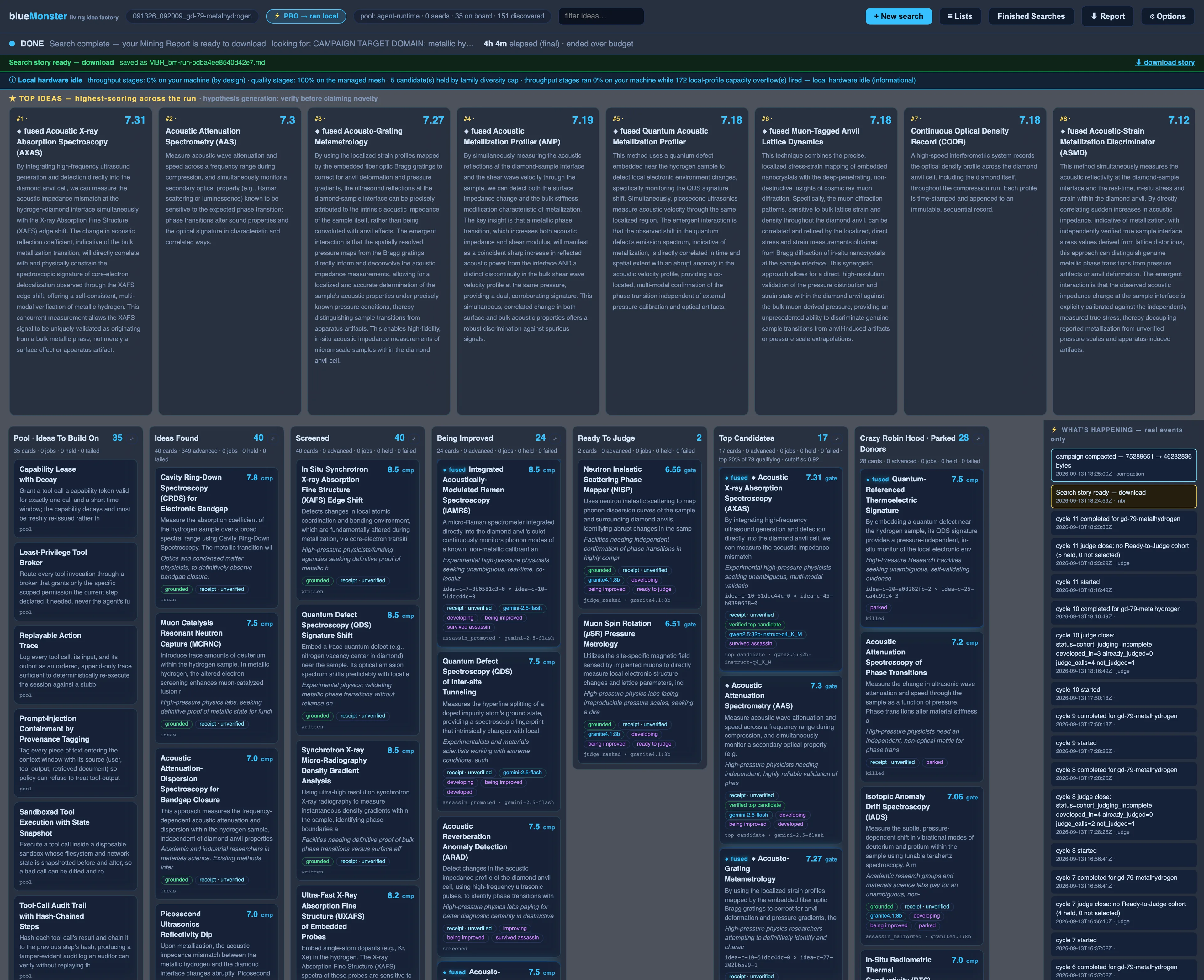
The board, left to right. Each column is a stage an idea passes through on its way from a raw seed to a ranked finalist:
🖥 Local
Free. Your search's AI processing runs entirely on your Mac on a bundled model. By default it also looks up related material from public sources (arXiv, GitHub, PubMed and others) using your search terms; switch that off per search for sensitive questions. Same funnel as Pro, smaller brain, slower. (The app separately checks for updates, and sign-in needs a connection.)
⚡ Pro
Bigger models than your Mac can hold, in the cloud by default (Google (Gemini) models, on our account), with our own GPUs picking up work where they can. Every step returns a signed receipt that records where it ran, so you can check instead of trust, and independent judging scores it. A search-hour is wall-clock time inside a Pro search; plan hours reset each month, top-up hours never expire and can be used with or without a plan. An outdated app is asked to update before a cloud step; Local is never blocked by version.
PRO — $60/MO · 10.5 SEARCH-HOURS
★ Moonshot
Frontier models from Google, Anthropic and OpenAI take over the idea-generation, fusion, review and final-pass stages; everything else runs where Pro runs it. Google (Gemini) models run on our account, paid for by us, and those stages cost about 1.6× search-hours; Anthropic (Claude) and OpenAI (GPT) models run on your own API key from that provider and cost 1.0×. Same receipts, same independent judging.
You choose which model runs. In + New search, set Search type to Moonshot, then pick the model for idea generation and the model for fusion from the two drop-downs, or press the i button to choose for each step that offers a choice. Google (Gemini) models are always listed and run on our account; Anthropic (Claude) and OpenAI (GPT) models are listed once you add your own key for that provider. How to choose →
How to choose Moonshot’s models
Moonshot searches let you pick which model runs the idea-generation and fusion steps.
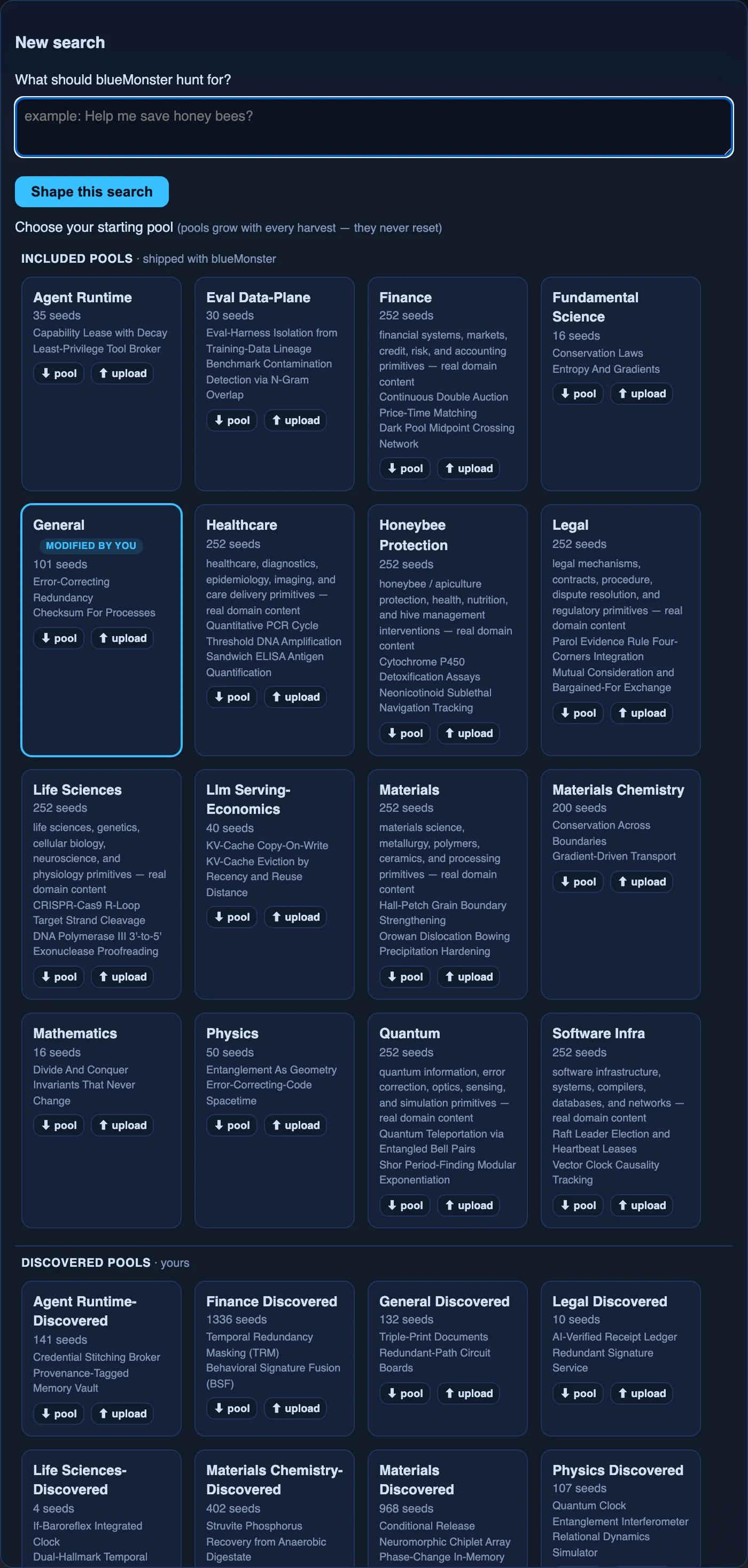
- Click + New search.
- Set Search type to ★ Moonshot. (This option is available on a paid plan.)
- Under Model for idea generation & fusion, open the Idea generation model (ideate) and Idea fusion model (fuse) drop-downs and pick a model for each. Let blueMonster choose is the default.
- To choose for other steps too, press the i button next to Which models will run. Each step that offers a choice has its own drop-down there.
- Check the line under Which models will run. It shows an estimate of the cost before you start. It is an estimate, not a bill.
Keys. Google (Gemini) models are always listed and run on our account. Anthropic (Claude) and OpenAI (GPT) models are listed, marked “your key”, only after you save your own key for that provider. You can add a key in the New search window while Moonshot is selected, or in Options under Your AI provider keys. Steps that use your key are billed to your account with that provider.
Does the choice stick? Your picks are used for the search you start. They are not saved as a setting, and they are cleared if you switch Search type away from Moonshot. Check the drop-downs each time you set up a Moonshot search.
Your report → your favorite AI
The report needs no internet connection and stays on your Mac.
- Open the run in Finished Searches → ⬇ Report → choose Ranked report (Markdown).
- Attach or paste it into your assistant.
- Ask it to summarize, rank, or dig into whichever idea looks most promising.
Question lists (≡ Lists)
blueMonster hunts by asking questions of every idea: simplify it? combine it? move it to another industry? Lists learn: questions that find winners rise. Share or import a list under ≡ Lists.
- An Apple silicon Mac on macOS 14 or newer (no Intel, Windows or Linux build today).
- About 60 GB of free disk space for the one-time model download.
- No account to install; sign in only for Pro.
Setup, bugs, access, licensing: blue@mobluehq.com. Tell us what you ran and paste what you saw. Common fixes (models still downloading, macOS won't open it, keychain prompts, an empty column) are on the blueMonster help page.
Update your card, download invoices, or cancel a monthly plan.