Compliance, grants and the back office
No patient data in any of these four, no clinician approver, and administrator alone can turn them on.
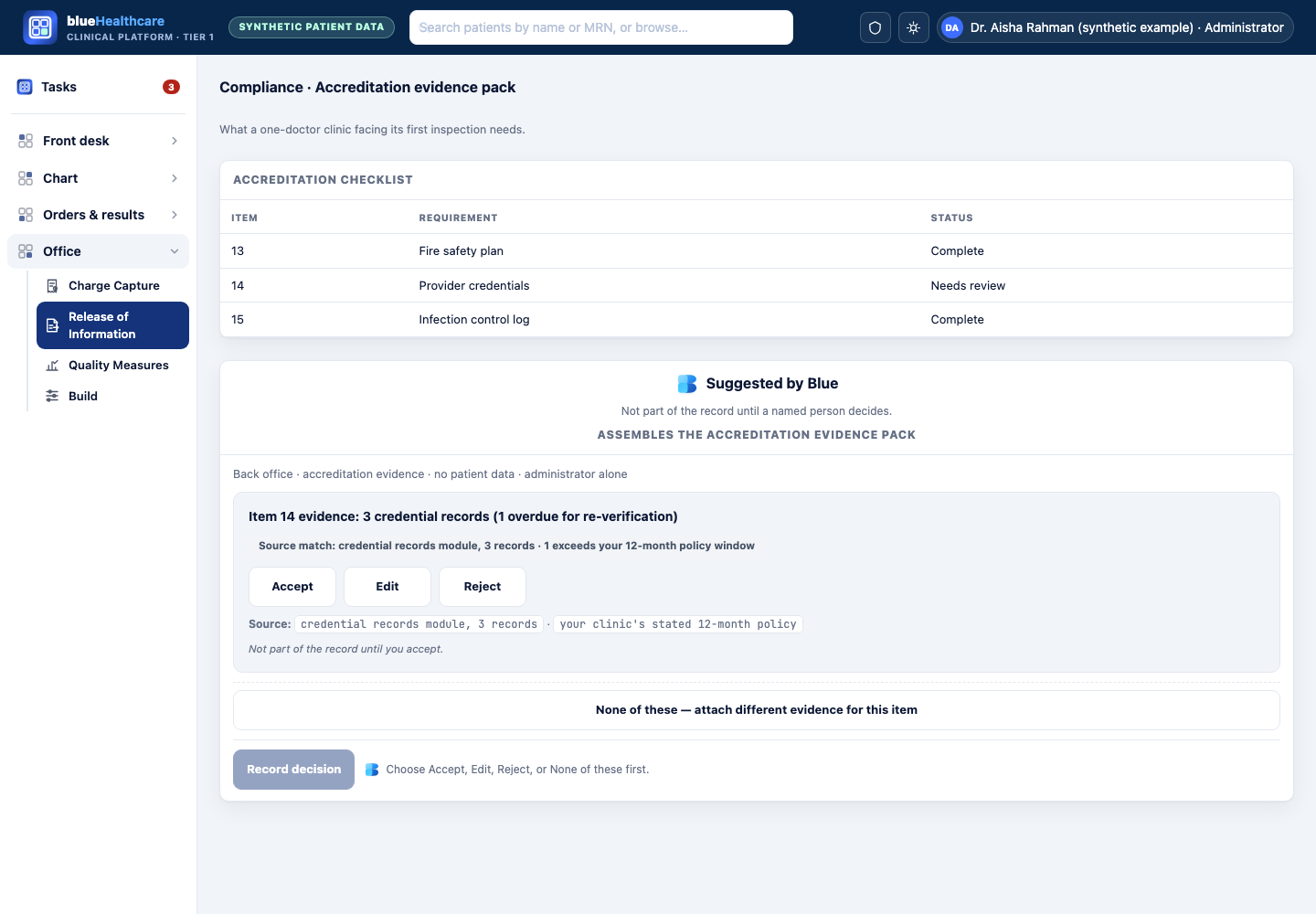
Assembles the accreditation evidence pack
Gathers the specific documents and records an accreditation standard requires into one pack, for a person to review and resolve gaps before submission.
- Who
- Dr. Aisha Rahman (synthetic example), facing her clinic’s first inspection.
- Situation
- The accreditation checklist has forty items, and she does not know where half the required evidence already lives in the system.
- Blue shows
- For “Item 14: staff credential verification” — “3 staff credential records found, all current; 1 record last verified 14 months ago, exceeds your 12-month policy.”
- They do
- Dr. Rahman reviews each item’s evidence, resolves the stale record, and assembles the final pack herself before submitting it.
- Never submits anything to an accreditor.
- Never marks an item “compliant” — it gathers evidence for a person to judge.
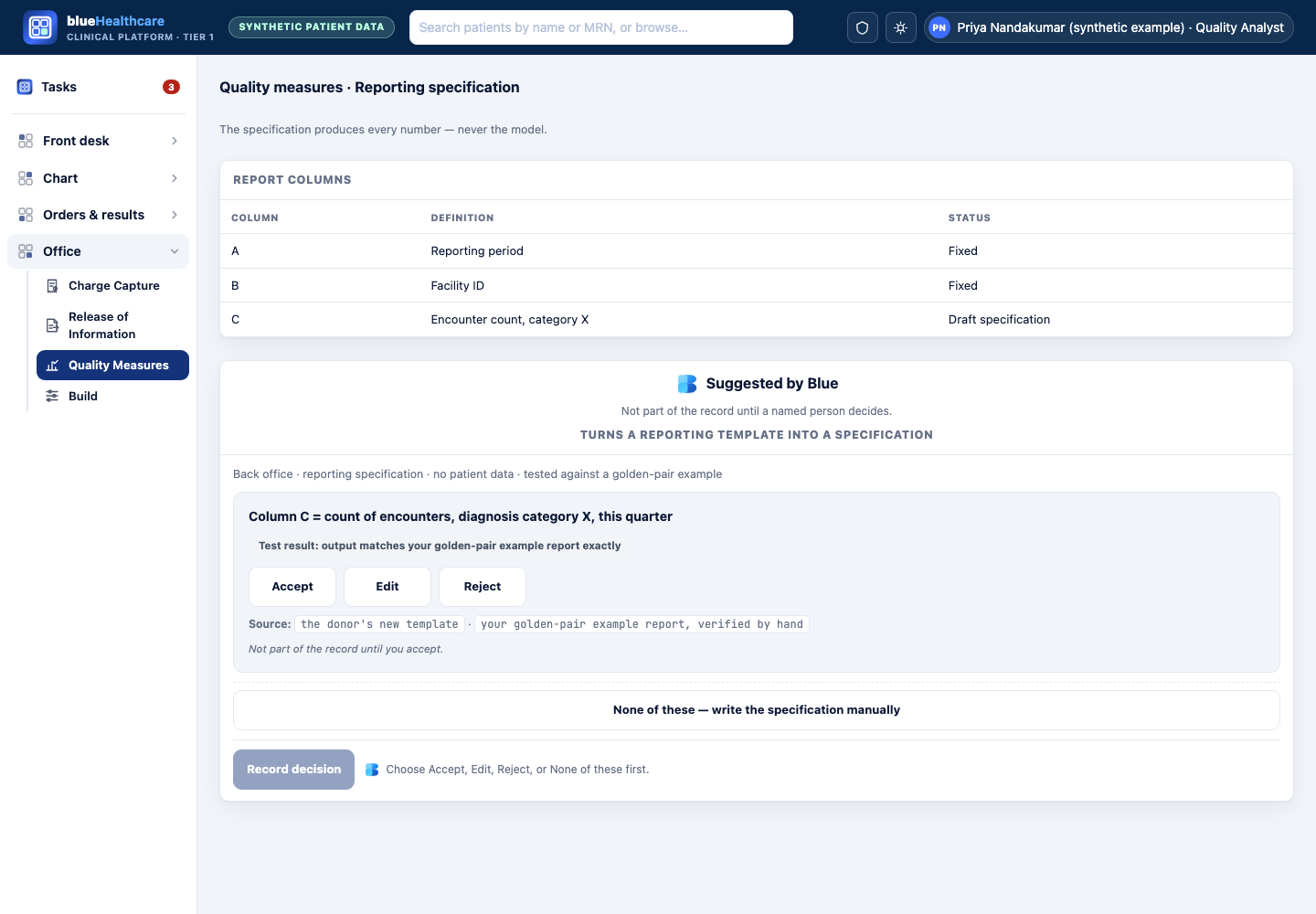
Turns a reporting template into a specification
Turns a donor’s or ministry’s reporting template into a specification, proven line-by-line against a known-correct example report before it ever runs on live figures — the specification, not Blue, produces every number.
- Who
- Priya Nandakumar (synthetic example), supporting a clinic funded by an international donor with its own quarterly report format.
- Situation
- The donor just changed their template, and rebuilding last quarter’s report by hand took an analyst a full week.
- Blue shows
- A candidate specification — “Column C = count of encounters with diagnosis category X in the quarter, matching your measure engine’s field dx_category” — tested against a known-correct example report the analyst supplies.
- They do
- The analyst checks the specification’s output against the known-correct example line by line, and relies on it only once every line matches exactly.
- Never produces a number for a live report until the specification reproduces the known-correct example exactly.
- Never runs on real figures before a person accepts the tested specification.
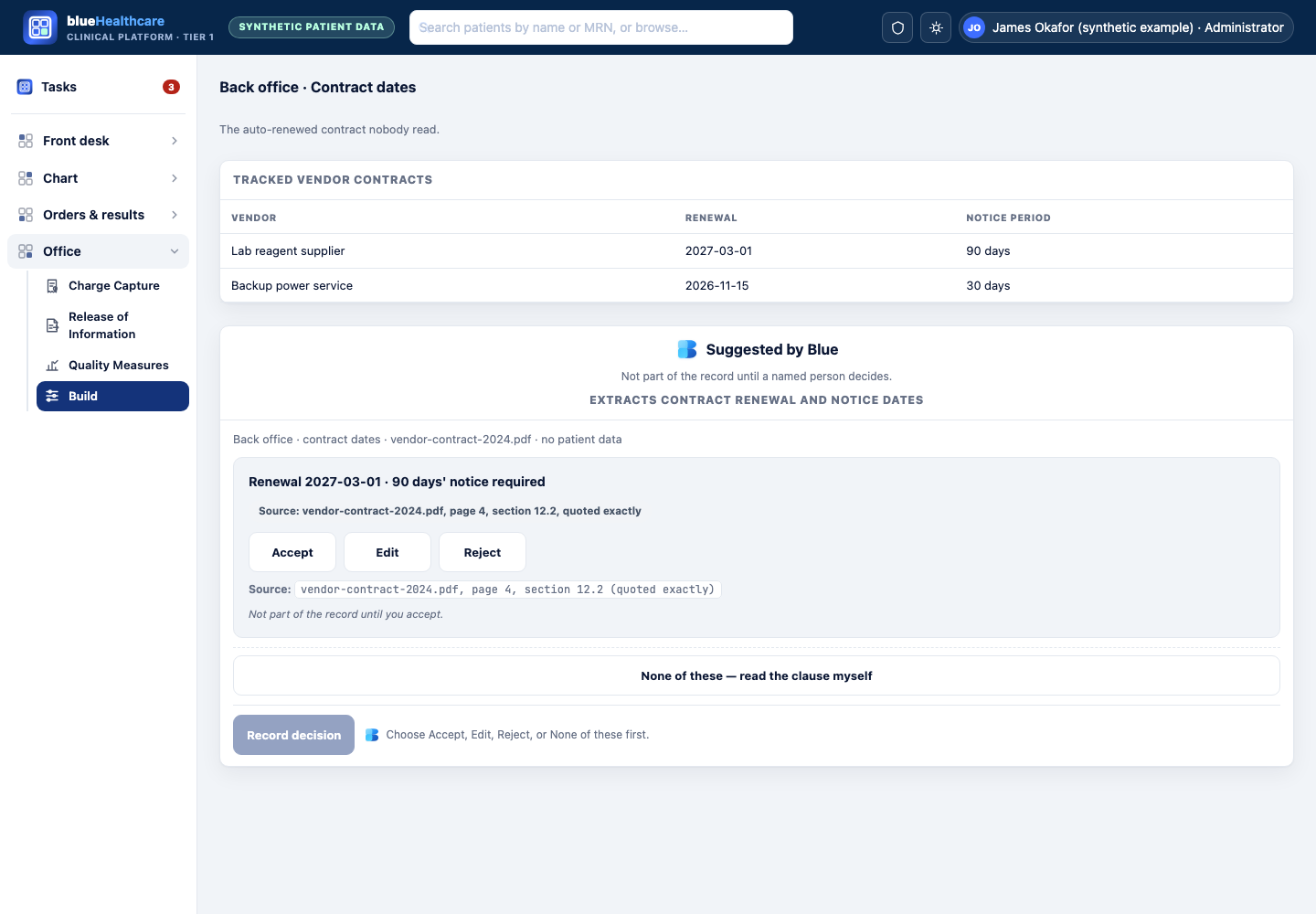
Extracts contract renewal and notice dates
Reads a vendor contract and extracts its renewal date and required notice period — quoting the exact clause — for a person to confirm and calendar.
- Who
- James Okafor (synthetic example), who inherited a filing cabinet of paper vendor contracts when he took over clinic operations.
- Situation
- He does not know which contracts auto-renew, or when notice is due, and the auto-renewed contract nobody read is the commonest avoidable loss at a small clinic.
- Blue shows
- “Renewal date: 2027-03-01. Notice required: 90 days before renewal (page 4, section 12.2)” — with the clause quoted exactly.
- They do
- James checks the quoted clause against the contract himself, confirms the date, and adds it to the clinic’s calendar.
- Never renews, cancels, or sends notice on anything.
- Never asserts a date it cannot quote a supporting clause for.
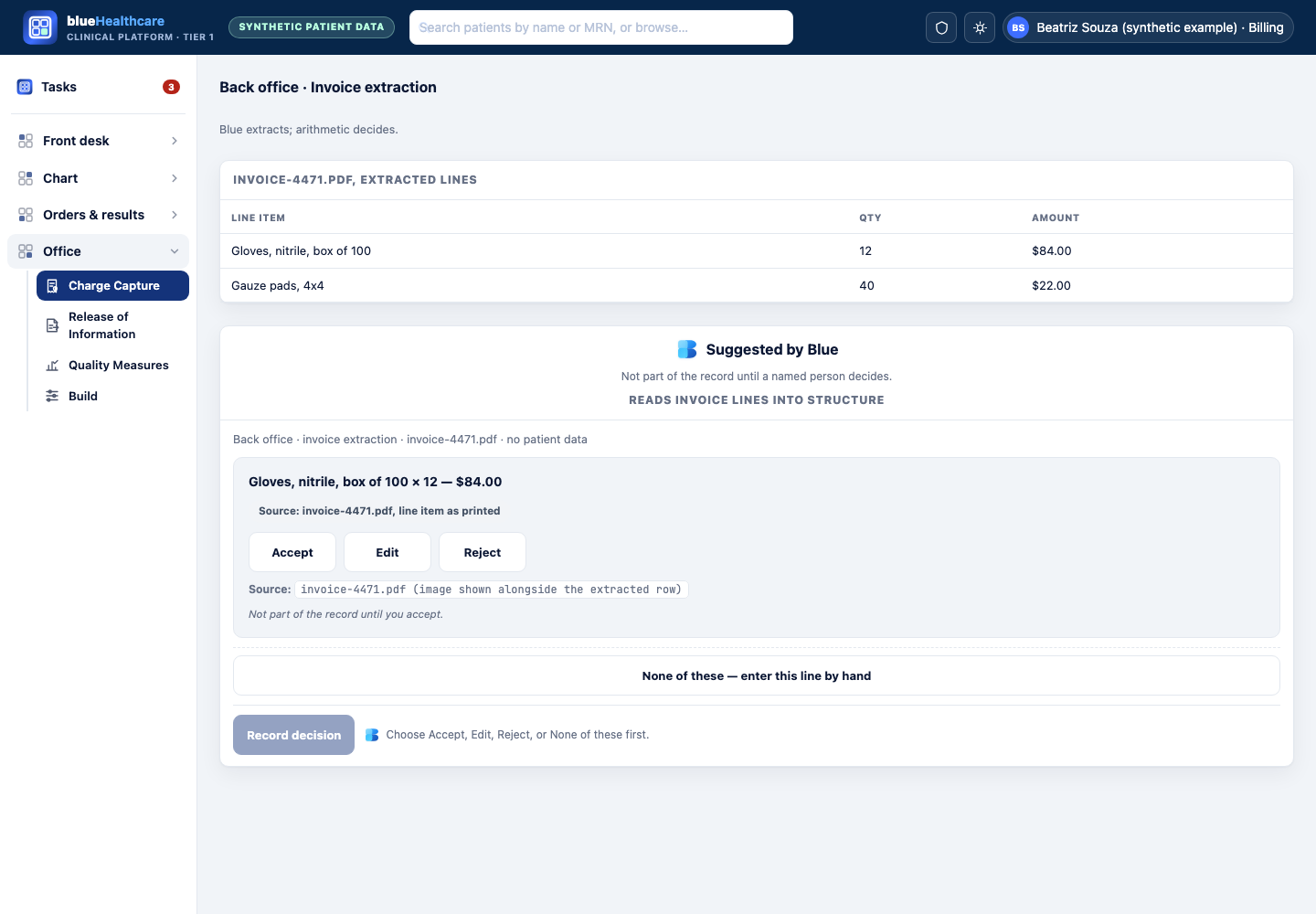
Reads invoice lines into structure
Reads scanned or emailed invoice line items into structured rows so a deterministic duplicate-payment check — arithmetic, not Blue — has something to compare.
- Who
- Beatriz Souza (synthetic example), handling the back office at her small clinic.
- Situation
- Two invoices from the same medical-supply vendor look suspiciously similar, but comparing them line by line by eye is slow and error-prone.
- Blue shows
- A candidate structured row: “Invoice #4471: ‘Gloves, nitrile, box of 100’ — qty 12 — $84.00” — read from the scanned image.
- They do
- Beatriz reviews the extracted rows against the invoice images, corrects a misread quantity, and the clinic’s own deterministic check — not Blue — flags the duplicate.
- Never decides a charge is a duplicate — the deterministic check works from rows a person has confirmed.
- Never pays, approves, or disputes an invoice.