The record beneath the overlay
Thirteen clinical modules compose a shared platform record — the foundation every overlay product runs on top of. This page describes the modules as they exist today.
A 13-module clinical platform that records care team interactions, observations, medications, orders, results, and service requests — with role-based access control, cryptographic audit logs, and a FHIR R4 API. The modules are:
core.record— the base record types (Patient, Observation, MedicationRequest, etc.) with FHIR mappingcore.terminology— coding system resolution (ICD, SNOMED, LOINC) plugged into the jurisdiction packbuild— the compiler that validates and assembles records at test time and at startupbridge.ops— operational connectivity to external LIMS and records systemsadmit— patient check-in and registration workflowsschedule— appointment and slot managementnote— clinical note authoring and annotationflow— order routing and task dispatchresult— lab and imaging result ingestion and displayorder— lab and diagnostic order creation and trackingmeds— medication preparation, administration, and verificationaccession— specimen accessioning and chain-of-custodyimage— imaging order and report workflow (no image storage, no DICOM parsing, no viewer)
A record system, not a decision system: it records what was done and by whom, and clinicians decide. It has not been through any certification programme, has never held real patient data, and refuses to start in a production posture until a clinic records its own go-live sign-off. It stores no images (imaging orders and reports only), does not yet connect to an e-prescribing network, and has no patient sign-in yet.
Six screens, one synthetic patient, one visit — registration through a critical lab result. Every screen below is a real capture of the running platform, not a mockup. From the second screen on, the same patient banner sits at the top: name, age, MRN, care team, bed, allergies — and, where something is not recorded or not visible to the signed-in role, the banner says so instead of showing a blank.
Library
Choose a reason for access before any record opens.
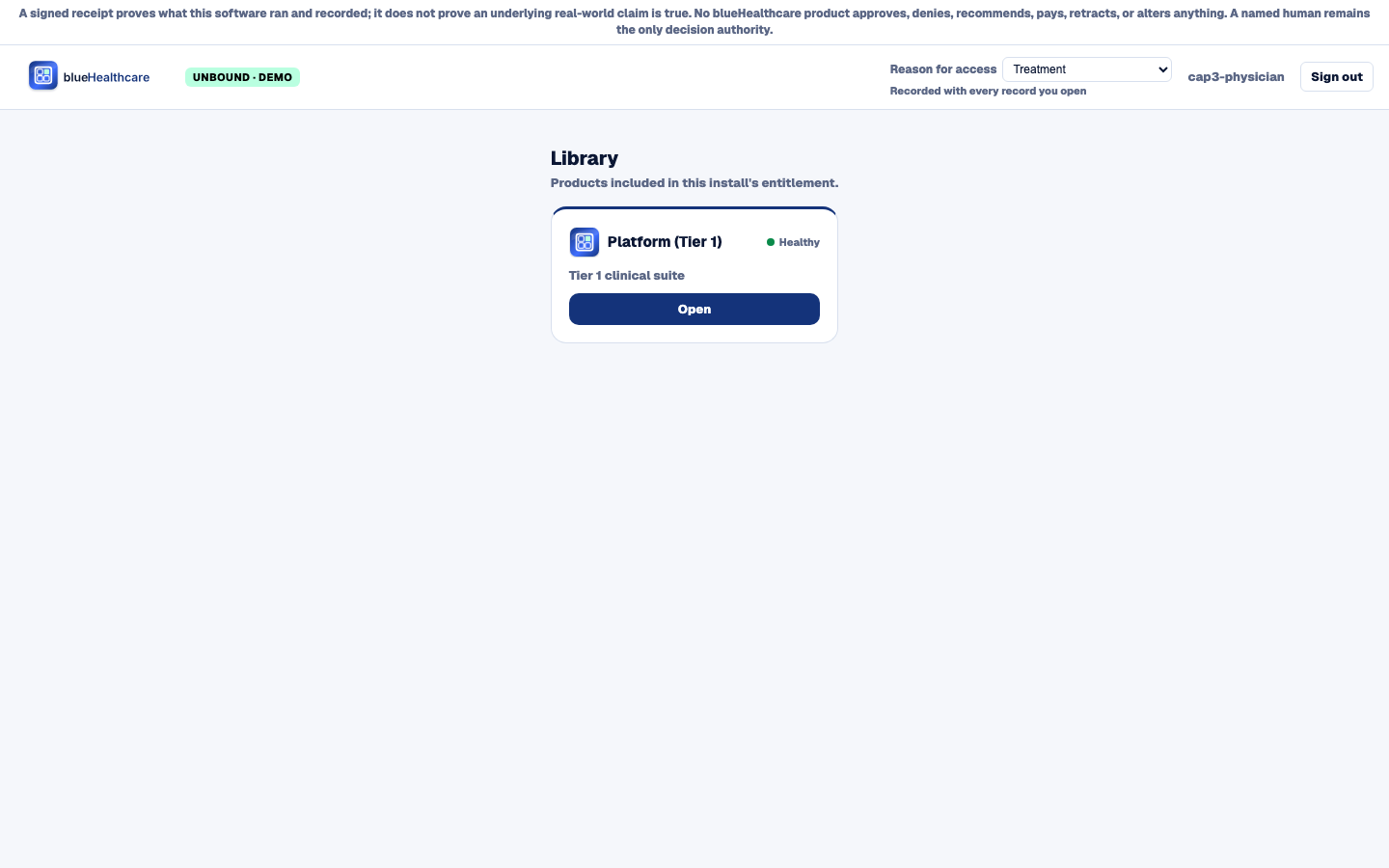
Before any record opens, the user picks a reason for access, and it is recorded with every record they open in the session. Leave it unset and every panel refuses until it is chosen.
Registration & ADT
Search or register the patient, then admit, transfer, or discharge and assign a bed.
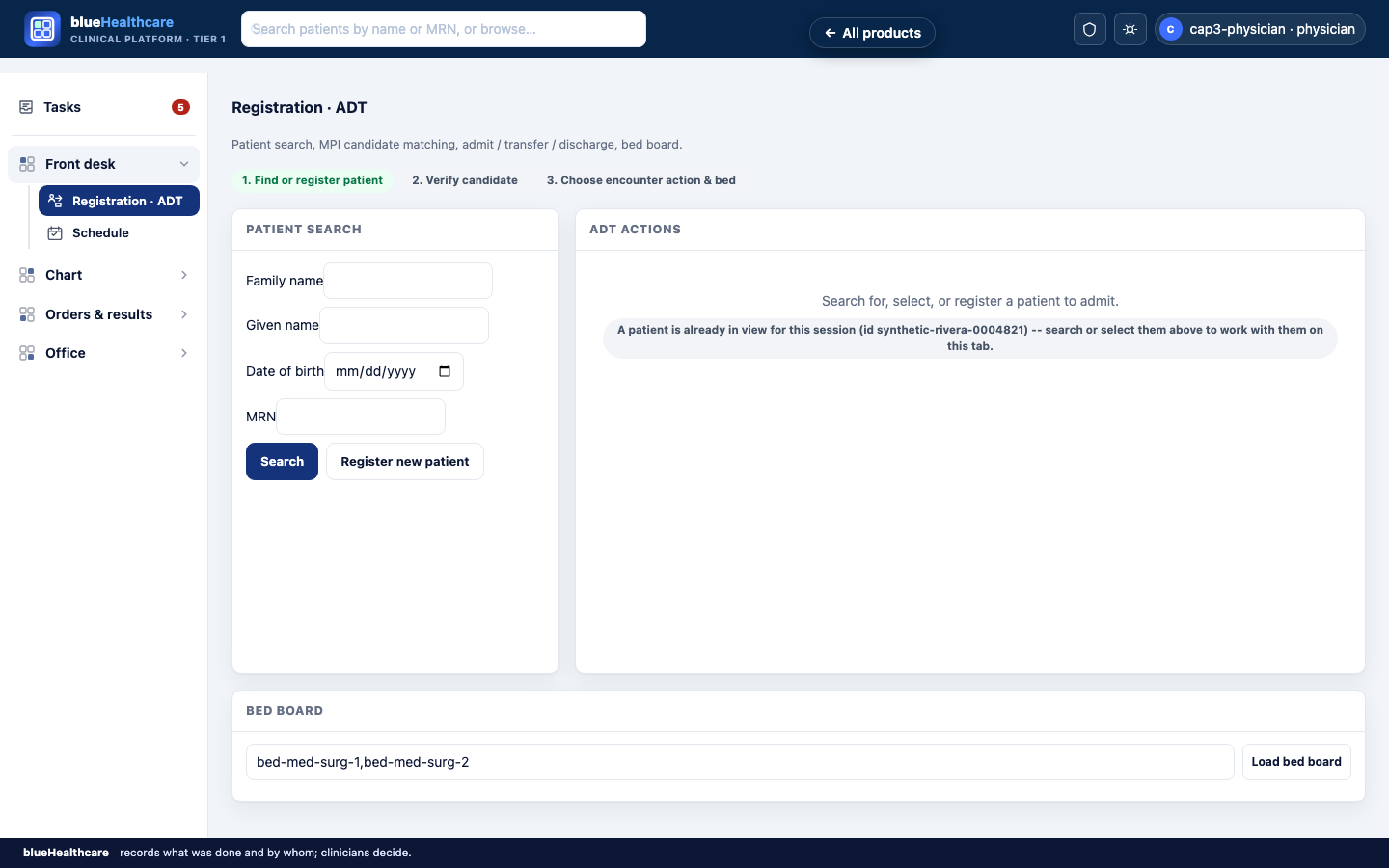
Three steps in order: find or register, verify the candidate match, choose the encounter action and bed. A patient is already in view for this session, and the screen still asks for a search or selection before any admission.
Schedule
Generate and fill appointment slots against the same patient record.
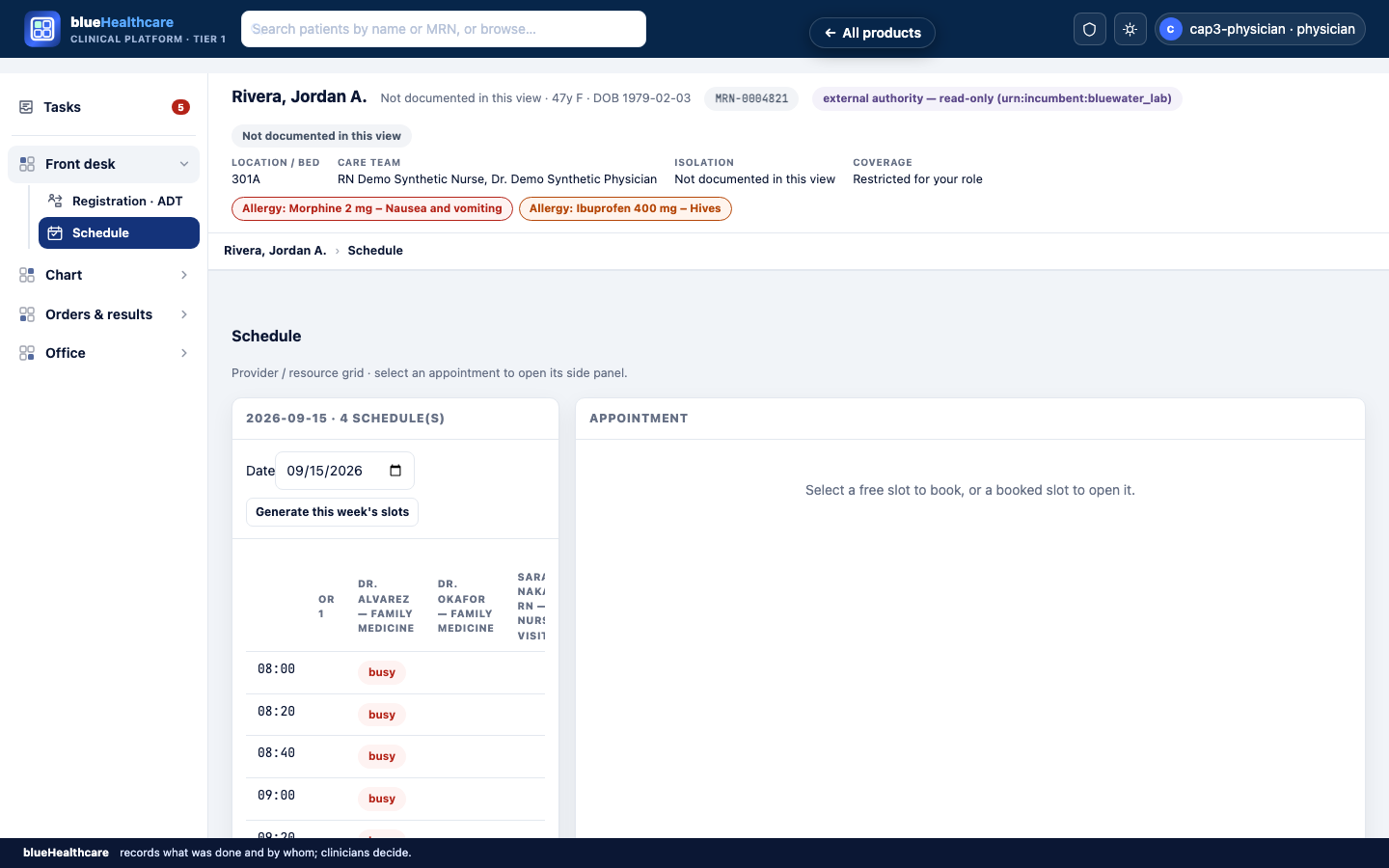
Four schedules for the day on one grid. A free slot books; a booked slot opens. The banner above is the same on every clinical screen from here on.
Chart review
The problem list, encounter history, and a signed progress note for the visit.
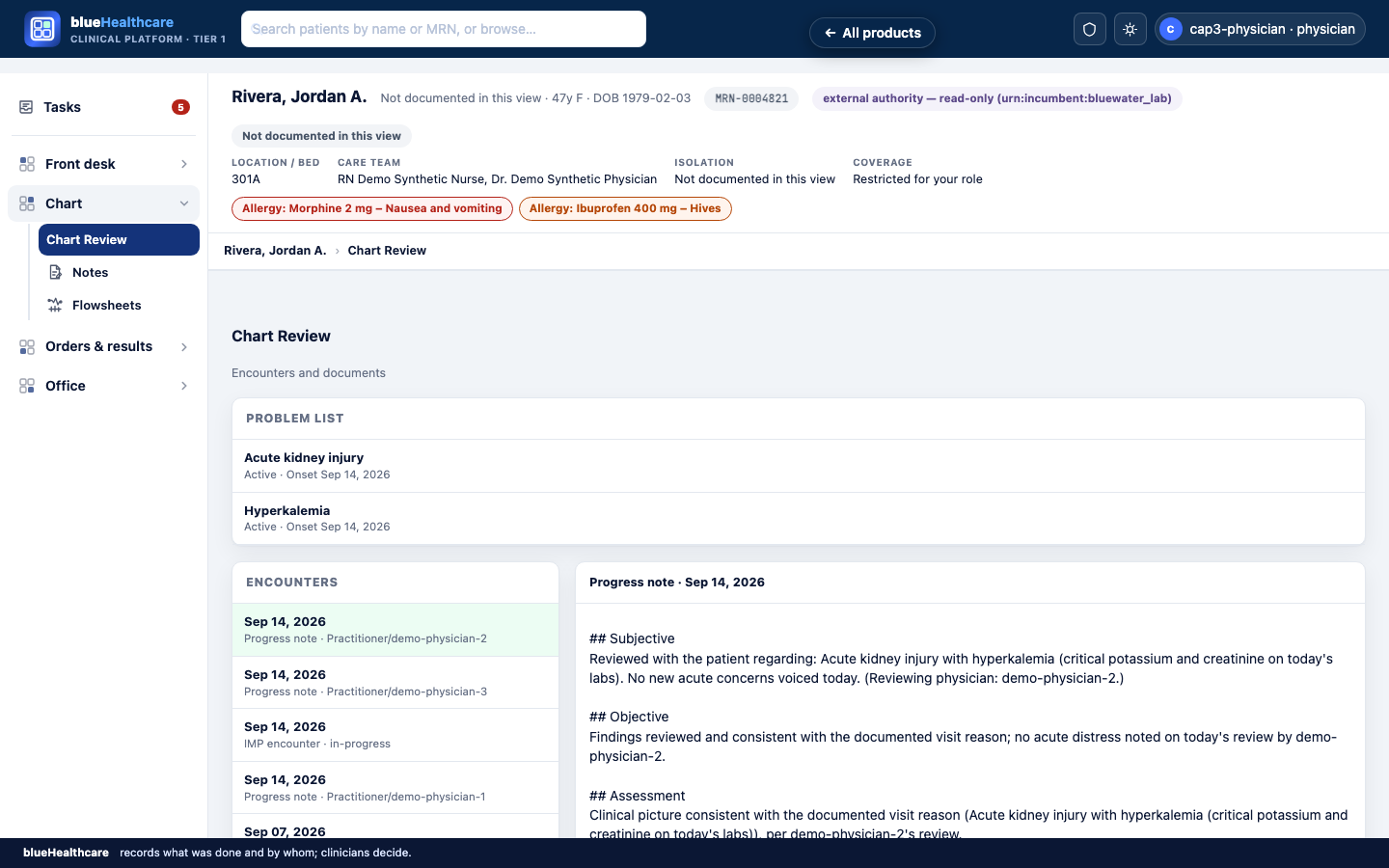
Problem list with onset dates, encounters by date and author, and the selected progress note in its Subjective, Objective and Assessment sections. What is not recorded reads Not documented in this view; what the signed-in role may not see reads Restricted for your role.
Orders
A catalogue and order-set composer with typed decision-support warnings.
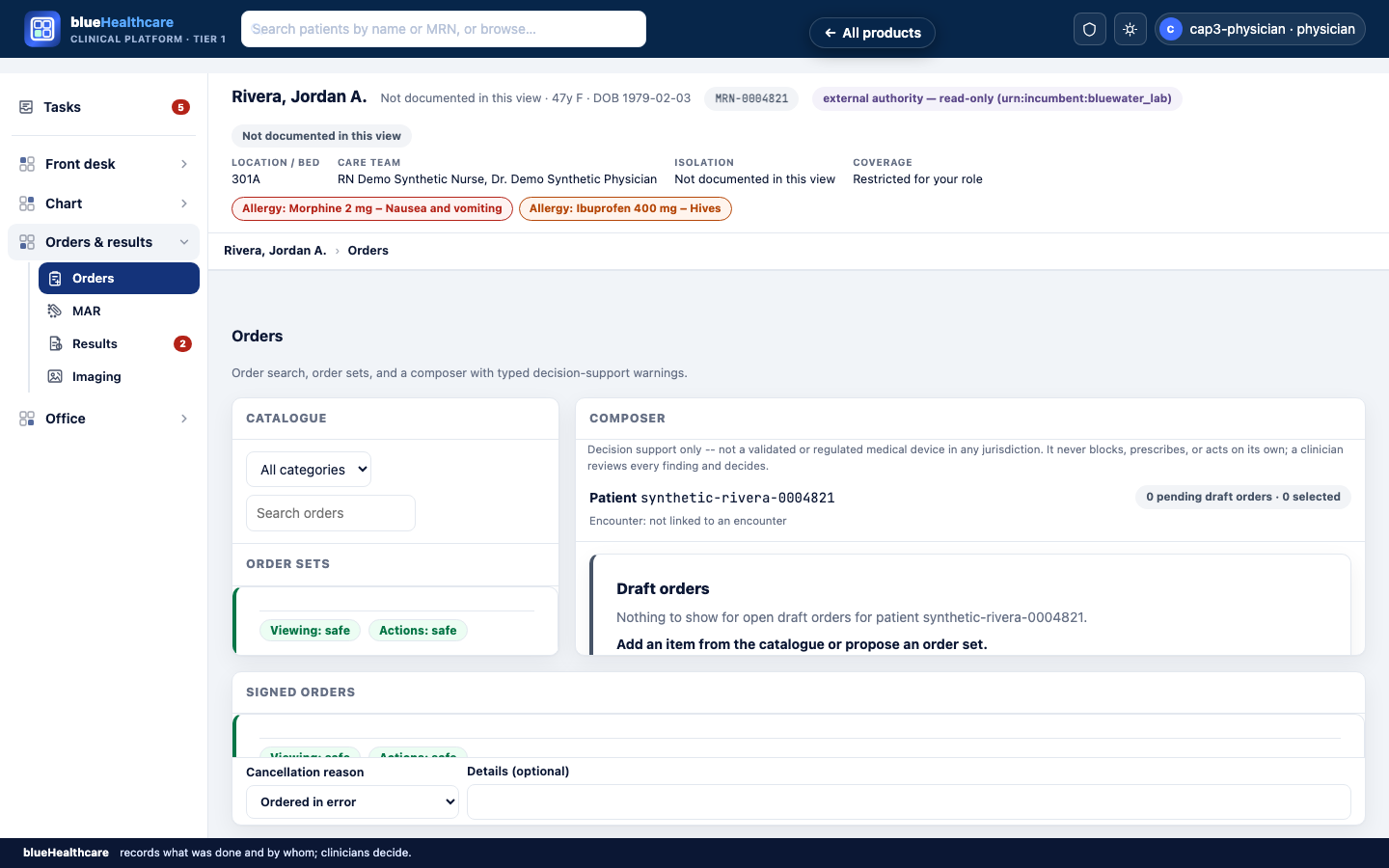
Catalogue left, composer right. The composer states its own limit in its first line: decision support only; a clinician reviews every finding and decides. The Viewing: safe / Actions: safe chips report whether the panel is safe to read from and to act on — when it is not, they say Viewing: not safe or Actions: blocked. Cancelling a signed order requires a stated reason.
Flowsheets & vitals
Time-column vitals charting with a batch receipt per entry set.
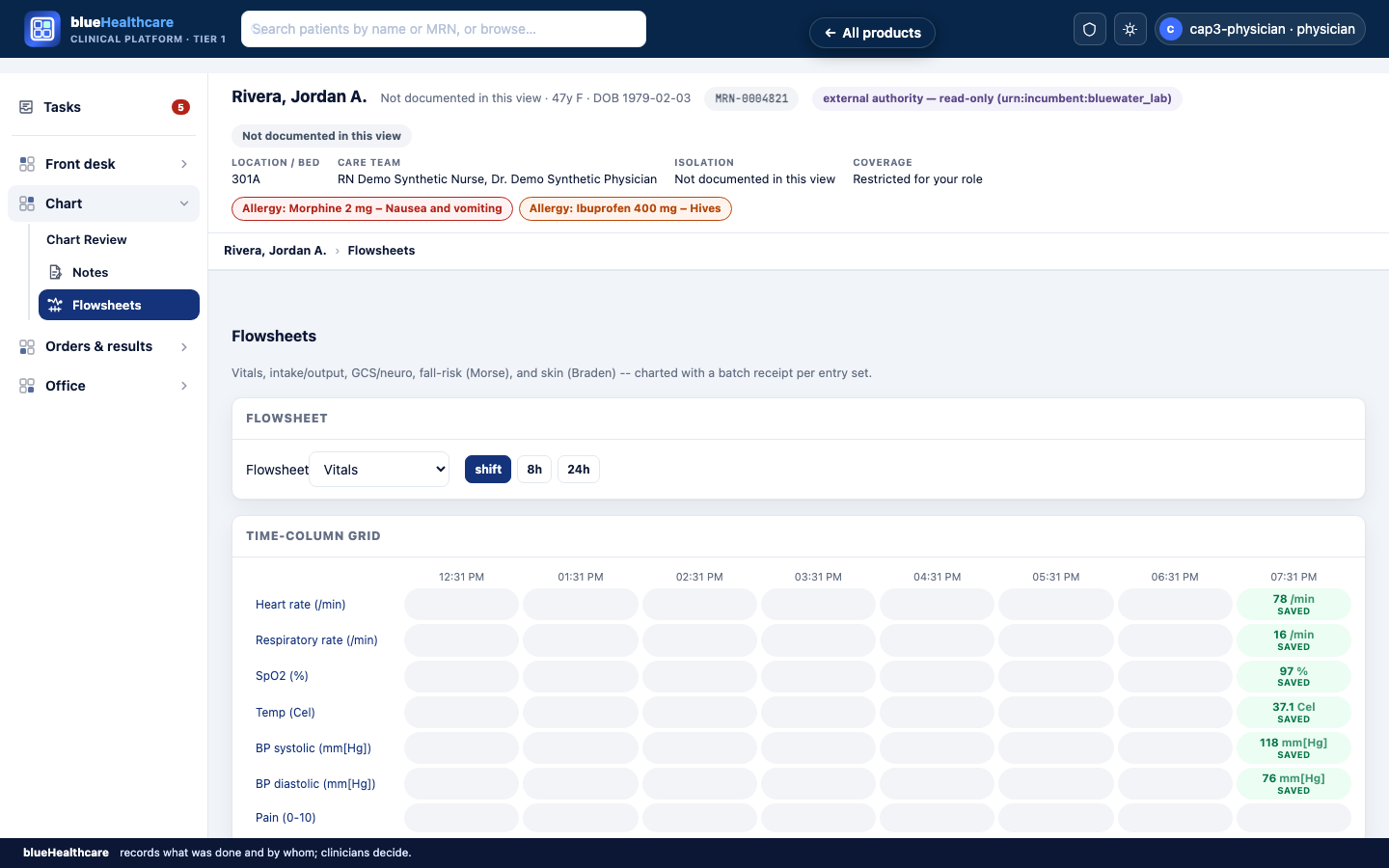
Vitals on a time-column grid across the shift; one column saved so far. Each entry set commits with one batch receipt. Intake and output, GCS, Morse fall risk and Braden skin are further sheets in the same selector.
Critical result
A critical lab value surfaces with a closed-loop acknowledgement record.
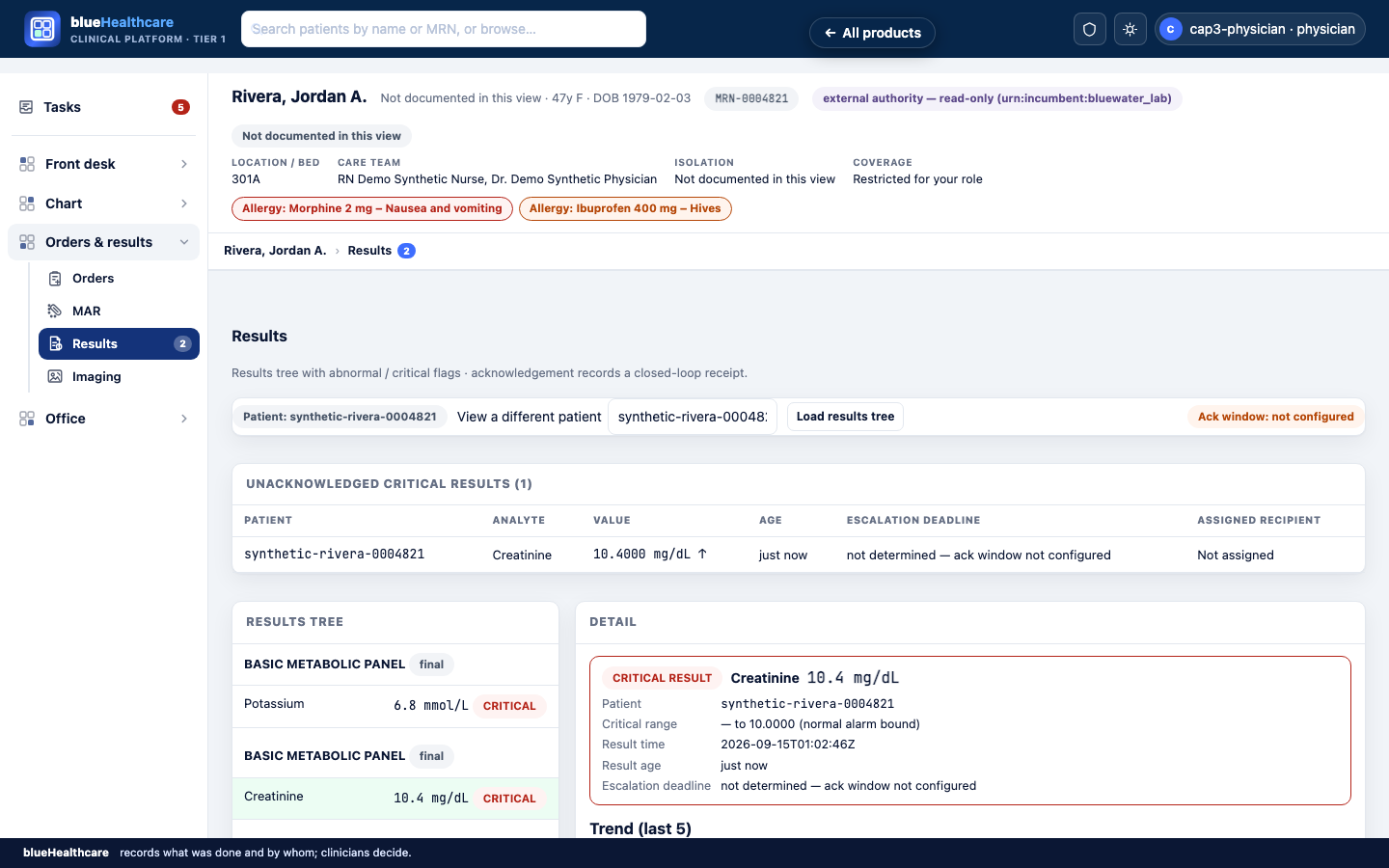
A critical creatinine sits in the unacknowledged list until a named person acknowledges it, which records a closed-loop receipt. The deadline column reads not determined — ack window not configured: the platform will not invent a deadline the facility has not set.
What exists: A patient-facing module that verifies a signed patient identity before serving anything — signature checking, tamper detection and expiry are implemented and tested. This is the machinery that proves a request belongs to the patient it claims; it is not yet a way for a patient to sign in, which is the piece below. A patient can read only their own record. Two endpoints work today: a record summary and the patient's allergy list.
What v1 will add: Read-only access to results, problems, allergies, immunisations, procedures, and encounters. Patients will reach this through a patient portal sign-in (identity proofing and enrollment not yet built).
What is not built: Appointment requests, bill payment, and patient sign-in. These remain planned and are not available in the demo.
Synthetic data only. No live PHI has been processed. The platform runs in local demo mode with seeded, fixture-based records.
Care-team-scoped access control: Role-based authorization is enforced across all record types. Care-team-scoped access — restricting a user to records for patients on their own team — is enforced for all 15 record types the role matrix marks as care-team-scoped: Encounter, Observation, ServiceRequest, DiagnosticReport, MedicationRequest, Specimen, Patient, MedicationAdministration, DocumentReference, Condition, AllergyIntolerance, Procedure, Immunization, Communication, RelatedPerson.
Startup safety gate: Care-team access rules are enforced for all 15 record types. The platform still refuses to run on real patient data until the clinic records an explicit go-live sign-off — a named person and a time — and a clinic should not do that before the rest of the go-live checklist is done: e-prescribing and lab interfaces where needed, verified backups, a support contact, and a security review.
No production deployment exists yet. Everything described above is the local demo state.