Every clinic migrating off paper or an old system hits these in its first week. Blue proposes rules and candidate rows only — a person tests and clears every one.
ITEM 3PlannedNo patient data
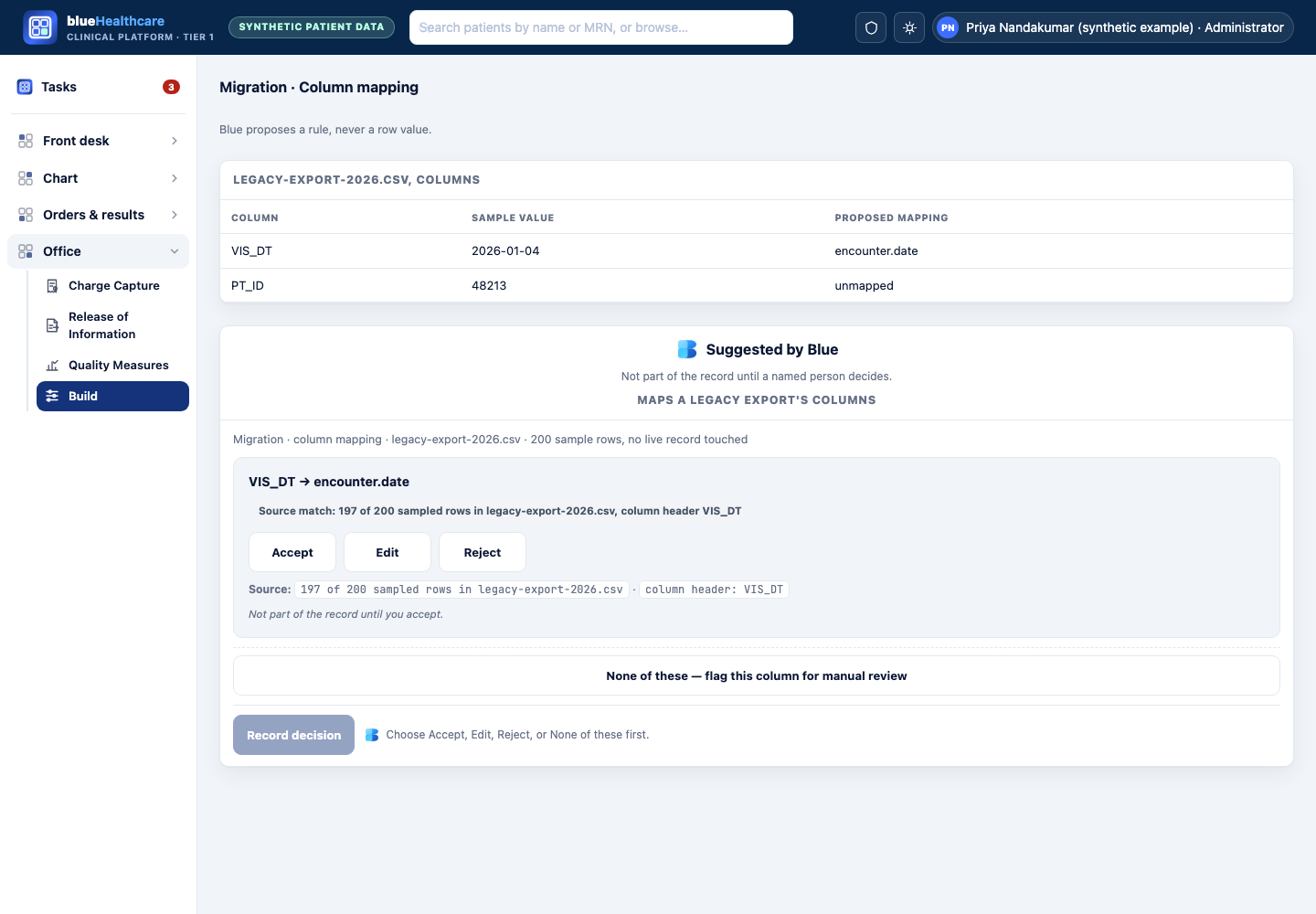
Maps a legacy export’s columns
Points Blue at an unfamiliar spreadsheet export from a clinic’s old system and gets back a proposed column-to-field rule — never a row value — for a person to test before it runs.
Synthetic example walkthrough
Who
Priya Nandakumar (synthetic example), an implementation specialist onboarding a clinic off a fifteen-year-old system.
Situation
The export has column headers like “PT_LNAME2”, “DOB_ALT” and “VIS_DT” with no documentation anywhere.
Blue shows
A proposed rule: “VIS_DT → encounter.date — matches date pattern MM/DD/YYYY in 197 of 200 sampled rows.”
They do
Priya checks the rule against a handful of sample rows, accepts the ones that hold up, and routes “DOB_ALT” to a person to ask the old vendor because its meaning is unclear.
Design mockup · not built Shown inside blueHealthcare's real shell (top bar, left rail, product tokens) with synthetic data, composed from the platform's own components — not a live feature, and not a real screenshot of a shipped screen.
What it never does
Never writes a value into any patient’s record — it proposes a rule tested against sample rows first.
Never runs the rule against the full file until a person accepts it.
Never treats a low-confidence rule as accepted by default.
ITEM 4PlannedNo patient data
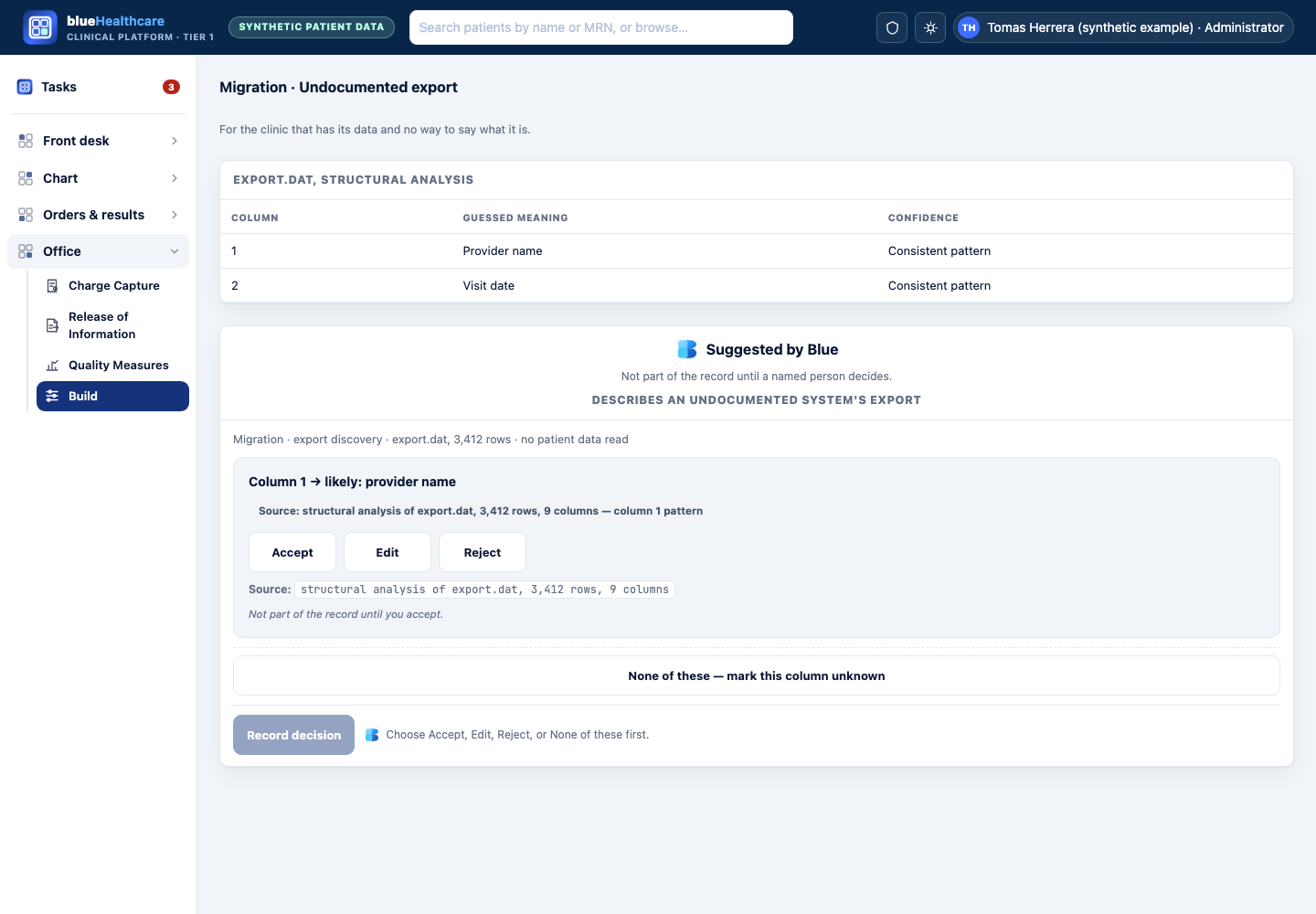
Describes an undocumented system’s export
For a clinic that has an export file and genuinely no documentation, Blue reads the shape of the data and proposes, in plain language, what each part probably is.
Synthetic example walkthrough
Who
Tomas Herrera (synthetic example), running clinic IT alone at a small practice.
Situation
He found a decade-old backup export from a system nobody at the clinic remembers configuring.
Blue shows
“This looks like an appointment schedule: column 1 repeats in a pattern consistent with provider names (4 distinct values); column 4 contains only AM/PM time strings.”
They do
Tomas confirms what he recognizes, marks the rest “unknown,” and only proceeds with fields a person has confirmed.
Design mockup · not built Shown inside blueHealthcare's real shell (top bar, left rail, product tokens) with synthetic data, composed from the platform's own components — not a live feature, and not a real screenshot of a shipped screen.
What it never does
Never assumes a regular pattern is correct — every field starts unconfirmed.
Never writes a discovered field into a live mapping without a person marking it confirmed.
ITEM 5PlannedNo patient data
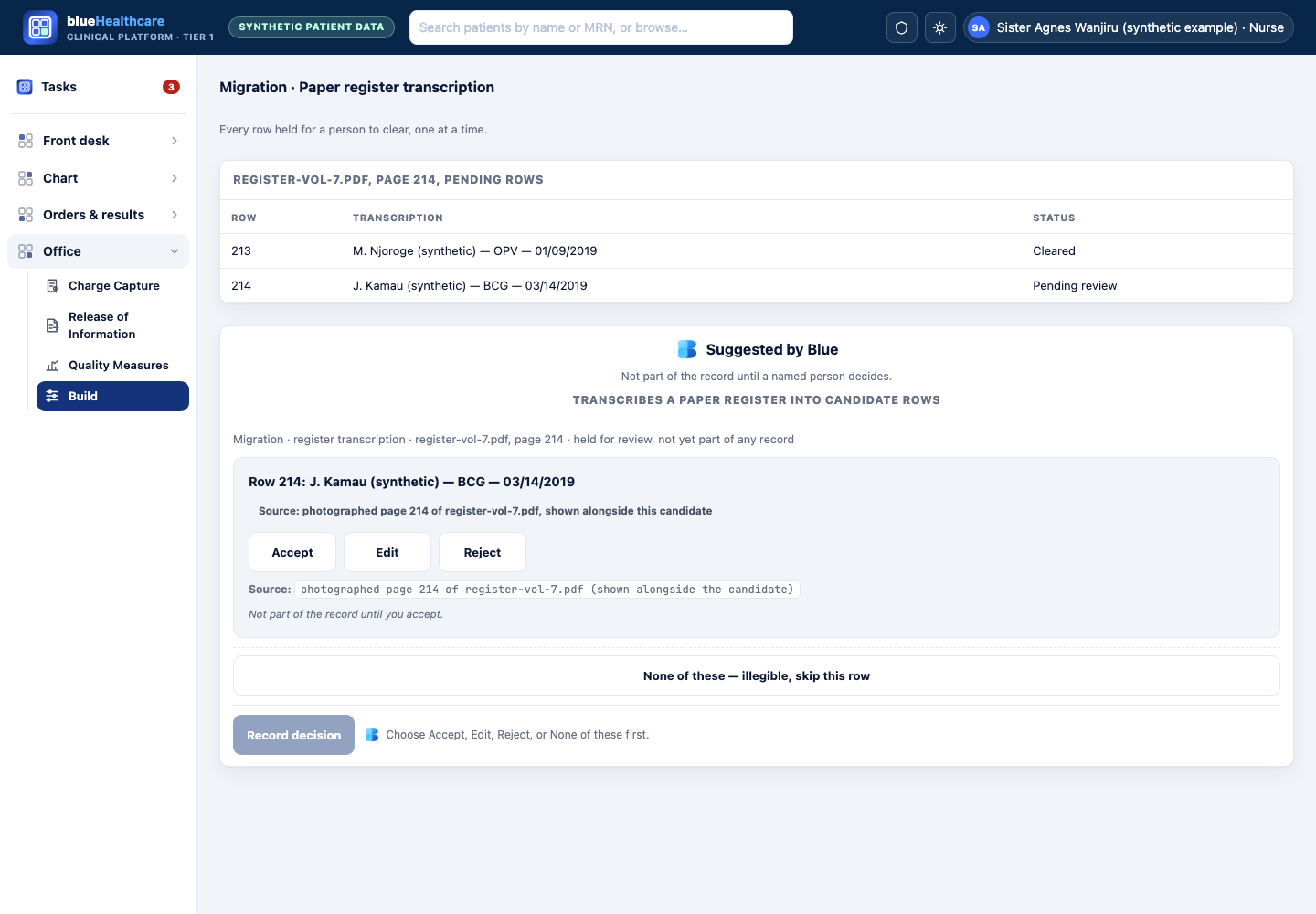
Transcribes a paper register into candidate rows
Reads a photographed paper register (for example, an immunization log) into candidate rows, each one held for a person to check against the photo and clear individually — never written to any record on its own.
Synthetic example walkthrough
Who
Sister Agnes Wanjiru (synthetic example), running a rural clinic’s paper immunization register.
Situation
Years of paper logs need digitizing before the clinic can report to the ministry, and there is no staff time to retype them by hand.
Blue shows
A candidate row read from the photographed page: name “J. Kamau” (synthetic example), vaccine “BCG”, date “03/14/2019.”
They do
Sister Agnes compares the candidate against the photographed page, corrects anything misread, and clears the row herself — it enters no record until she does, and matching it to an existing patient is a separate, existing step she performs, not something Blue decides.
Design mockup · not built Shown inside blueHealthcare's real shell (top bar, left rail, product tokens) with synthetic data, composed from the platform's own components — not a live feature, and not a real screenshot of a shipped screen.
What it never does
Never marks a row final on its own — a person clears every row against the photographed page.
Never matches a transcribed row to an existing patient — that is the record system’s own existing matching step, performed by a person.