blueHealthcare launcher & platform
The launcher is the single window a clinic or reviewer opens: one login, a product switcher, and a reverse proxy in front of each entitled product — never a separate URL or install per product.
The launcher itself makes no clinical or claims decisions. It authenticates a named user, decides which products that install is entitled to run (via a signed, offline-verifiable entitlement file), and proxies requests to each product's own process. Every product keeps its own database, its own tests, and its own decision boundary — the launcher depends on the products; no product depends on the launcher.
An operator (installs and licenses the suite for a site) and named end users with roles — reviewers, adjusters, lab staff — each seeing only the products their entitlement and role permit.
See the hosted demo to try the launcher and switcher today — no install, no local checkout. A local demo mints a demo entitlement for all 8 products and starts the launcher the same way; it will run from the source once the source itself is downloadable, and there is nothing to run it against yet.
The blueHealthcare platform is the collection of clinical modules you access through the launcher. Each module runs as its own process and keeps its own database; the launcher proxies requests and enforces entitlement rules. Below are the major screens you interact with when a product is open.
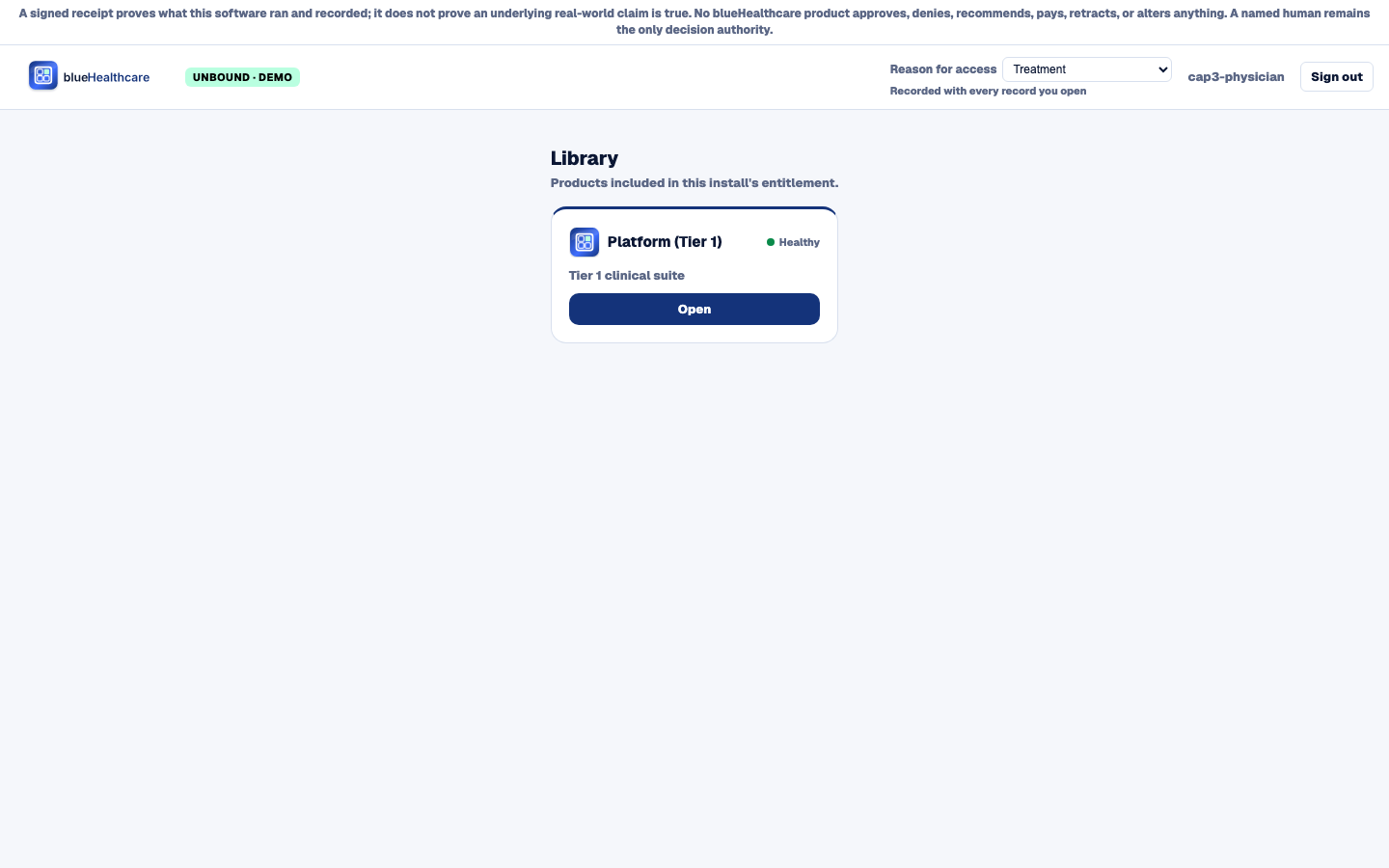
Library — the products this install is entitled to, each with its own health indicator. The Reason for access selector in the top bar must be set before any record opens; until it is, a product's panels show access-denied instead of chart data.
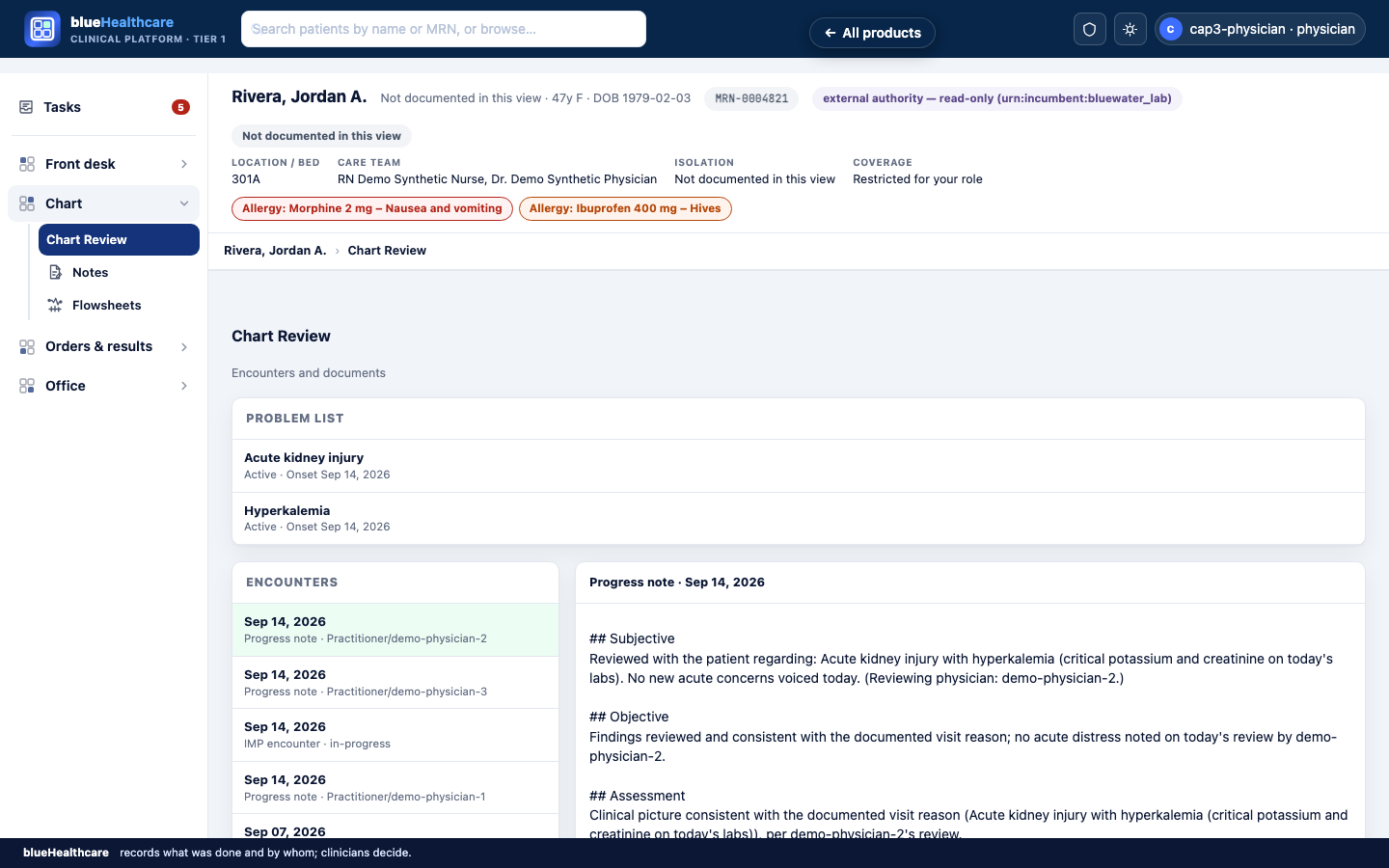
Patient chart — the four-area rail (Front desk, Chart, Orders & results, Office) with Tasks pinned above it, and the patient banner: bed, care team, isolation and coverage. Coverage here reads "Restricted for your role", because this signed-in user is a physician and coverage is not theirs to see.
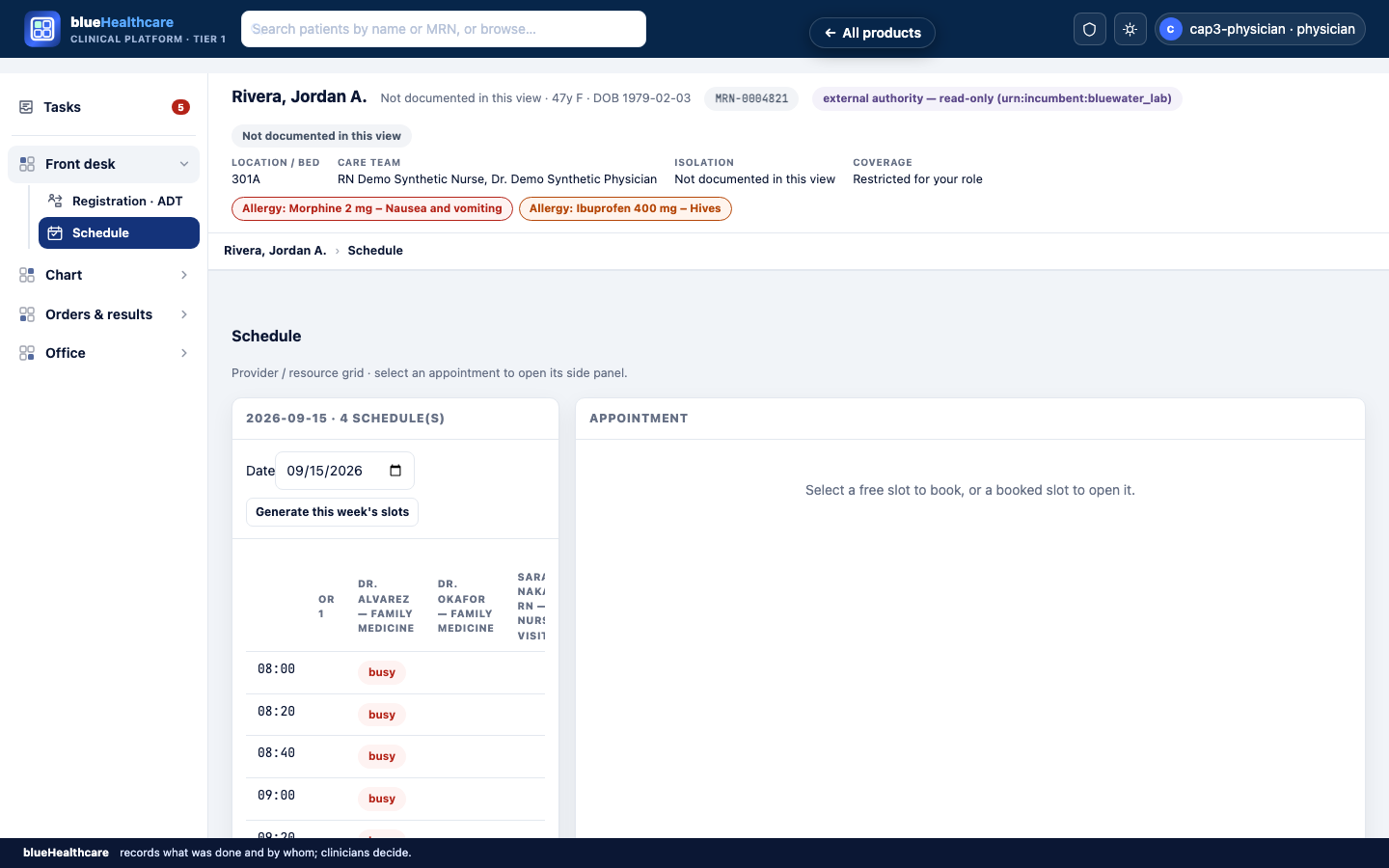
Schedule — the clinic's daily appointment roster, showing which slots are booked and who is scheduled for each time.
- The suite composes 13 planned modules; several are still design-only or early build. This manual and the product list on this site describe only what exists in code today.
- No production deployment exists yet — everything above describes the local demo.
Does the launcher replace our EHR?
The launcher itself, no — it is just the shared window and switcher that composes the suite's products; it runs alongside whatever record system you already have. But the question is usually really about the underlying blueHealthcare platform the launcher opens: for a clinic that already runs an EHR, the platform and the eight assurance products (blueChart, blueClaims, and the rest) are overlays that never replace it. For a clinic with no EHR today, the platform itself is the record system — registration, scheduling, notes, orders, results, medications, and imaging. See the platform page for which mode applies to you.
Does opening a product in the launcher change who is responsible for the decision?
No. A named human remains the only decision authority for every product in the suite, regardless of how it's launched.