
blueChart
For clinics and hospitals: checks a treatment that has been ordered or done against the patient's insurance coverage requirements and maps each requirement to the exact chart evidence that supports, contradicts, or never addresses it — then hands your own staff a signed evidence packet for the insurance submission, not a verdict.
Clinics and hospitals. Nurses, physicians, and billing or utilization-management staff who check a treatment that has been ordered or done against the patient's insurance coverage requirements and need a signed evidence packet for the insurance submission.
blueChart never approves, denies, recommends, or alters coverage. It is not a prior-authorization decision engine.

blueChart is worked the way clinic staff work a case: find it in the library, open the packet, inspect the evidence behind any verdict you doubt, then export and sign. The four screens below follow one synthetic case from the library to the signed receipt. No screen is a coverage decision, and every screen carries the same footer saying so.

Case library — 57 synthetic cases, with tabs for All work, Draft, Ready for review, Needs attention and Archived. Two statuses to notice: Incomplete evidence and Cannot certify are review states the engine reports, not outcomes it has decided.
Open any row and blueChart lands on the packet.
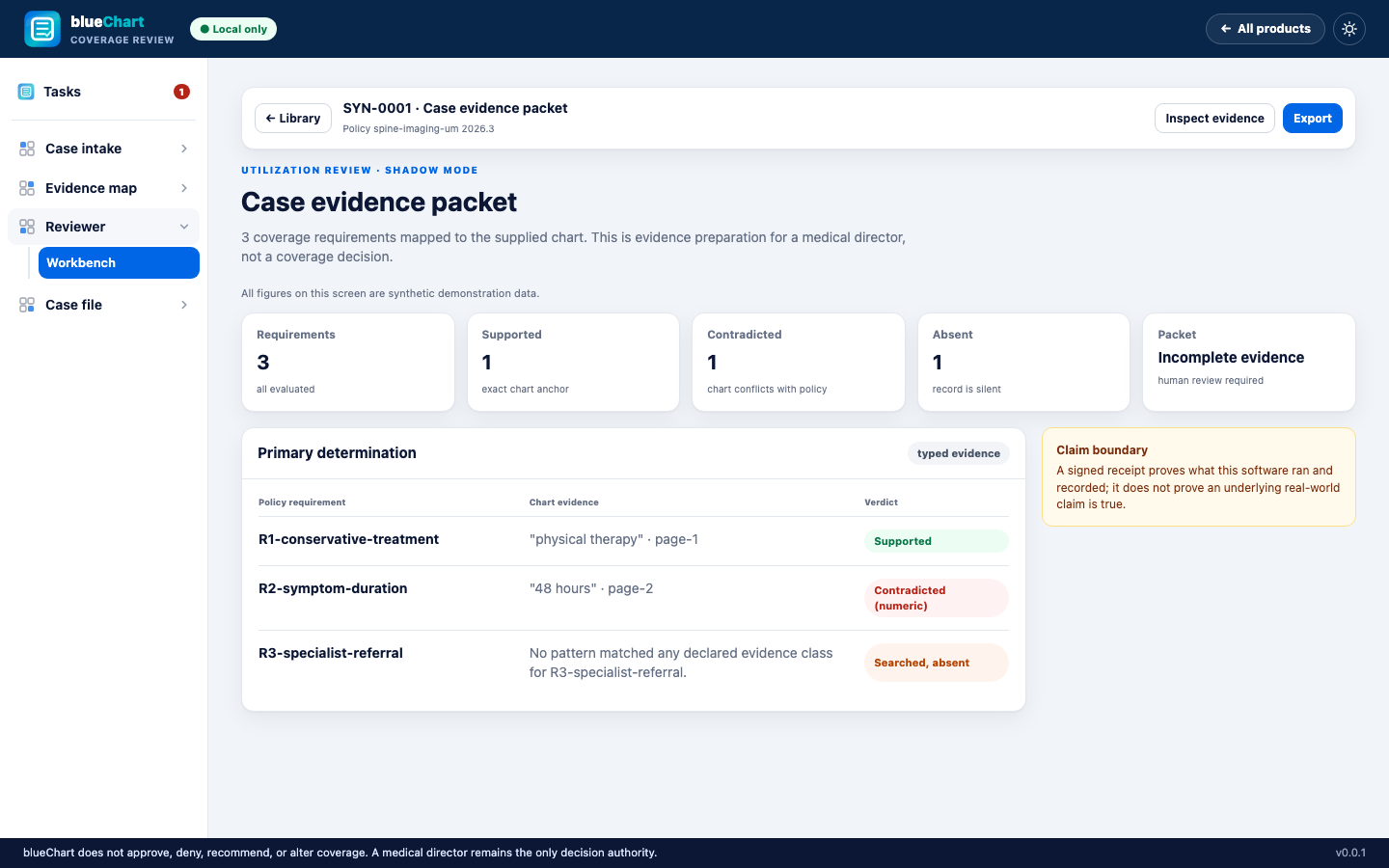
Case evidence packet — three coverage requirements, three verdicts: R1 Supported by an exact chart citation, R2 Contradicted (numeric) — the chart's figure conflicts with the policy threshold — and R3 Searched, absent. The packet status reads Incomplete evidence, human review required. The screen says so itself: evidence preparation, not a coverage decision.
Inspect evidence opens the matrix behind these three rows.
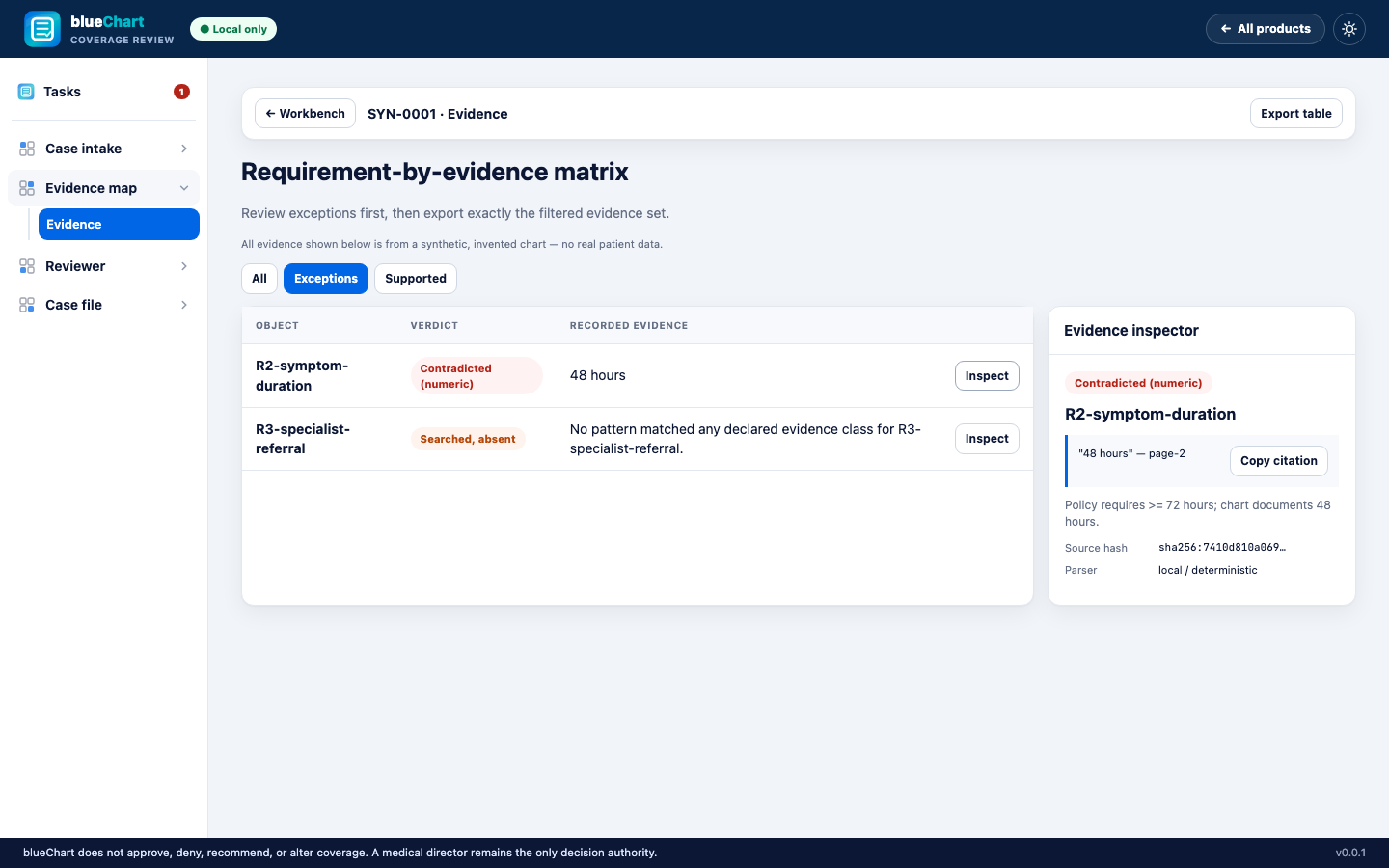
Requirement-by-evidence matrix, filtered to Exceptions. The inspector shows why R2 is Contradicted (numeric): policy requires at least 72 hours, the chart documents 48, cited to page 2, with the source document's SHA-256 and the parser recorded as local and deterministic. Copy citation puts the exact reference in the reviewer's own notes.
From here the reviewer reaches their own determination; Export writes the signed packet for the case file.

Signed process receipt — the packet closes here.
verify_receipt.py runs the identical check this page runs, offline, and a --trusted-signer-pub flag lets the clinic's own auditor or counsel confirm who signed it, not just that the shape is intact. The reviewer attestation panel below shows 0 recorded, because in this synthetic run no reviewer has signed off yet.measured Demo-ready: all 12 build-contract milestones complete. Full backend suite, strict type checks, and an end-to-end UI test all pass. make demo and make verify-demo both verified on a fresh clone.
not true yet No signed pilot. No live PHI has ever been processed. No non-US deployment.